

If you’re looking to promote your e-commerce business on TikTok, the TikTok Ads Creative Center is an invaluable tool. As a TikTok marketing expert, I often get asked – how can brands use the Creative Center to make high-quality video ads?
In this post, I’ll walk you through getting started with the TikTok Creative Center and using it to produce effective e-commerce video ads. Let’s dive in!
Contents
- 1 How can I use the TikTok ads creative center?
- 2 Why Use the TikTok Creative Center?
- 3 Getting Started With the TikTok Creative Center
- 4 Using Creative Center Templates and Assets
- 5 Creating E-Commerce Video Ads
- 6 Analyzing Performance and Optimizing
- 7 FAQs About Using the TikTok Creative Center
- 7.1 How do I access the TikTok Creative Center?
- 7.2 What types of assets can I use in the Creative Center?
- 7.3 Can I create multiple ad variations?
- 7.4 How do I add my e-commerce links?
- 7.5 Do I need video editing experience?
- 7.6 Does the Creative Center work for any business?
- 7.7 Key Takeaways and Next Steps
How can I use the TikTok ads creative center?
The TikTok Creative Center provides templates and tools to easily create high-quality video ads. Just access it through Ads Manager once your account is approved. Choose a template for your campaign goal, customize it with your brand assets, and make multiple variations to test.
Add product demos, deals, CTAs to drive traffic and sales. Analyze performance data to optimize your TikTok video ads over time.
Why Use the TikTok Creative Center?
First, let’s look at why you should be using the Creative Center as a TikTok e-commerce expert:
- It allows you to quickly and easily create professional-looking video ads in the vertical 9:16 format that works best on TikTok. No advanced video editing skills required!
- You have access to a huge library of templates, visual assets, stickers, filters and more to customize your ads and make them feel authentically “TikTok“.
- You can tailor your video ads for different campaigns and objectives, like driving traffic to your site, promoting certain products, or increasing brand awareness.
The Creative Center really simplifies the ad production process for brands new to TikTok. It’s an essential tool for any TikTok marketing strategy in my experience.

Getting Started With the TikTok Creative Center
To use the Creative Center, you first need to have a TikTok ads account connected to your e-commerce business. Here’s how to get that set up:
Signing Up for a TikTok Ads Account
- Go to the TikTok ads website and click “Get Started”. You’ll need to create a new TikTok ad account or connect your existing one.
- You’ll need to get your account approved to run paid ad campaigns. This may take 1-2 business days.
- Link your TikTok ads account to your online store and add payment info. Make sure your store and ads account match geographically.
Once your account is approved and connected, you’re ready to access the Creative Center!
Accessing the TikTok Creative Center
- In TikTok Ads Manager, look for the “Creative Center” tab – this is where you’ll produce your video ads.
- Take some time to explore all the available templates, assets, editing tools, and analytics. Get familiar with how it works.
The Creative Center has all you need as a TikTok expert to make polished ads – no other creative tools required!
Optimizing Assets For TikTok
When designing assets for your TikTok video ads, keep these tips in mind:
- Crop videos and images into the 9:16 vertical format. TikTok is made for mobile, so vertical works best.
- Add captions, graphics, stickers and effects to fit the casual, “made for TikTok” aesthetic.
- Use fonts, filters and editing features that give your brand a TikTok vibe.
Optimizing your creative assets upfront will make promoting your e-commerce business on TikTok much easier!
Using Creative Center Templates and Assets
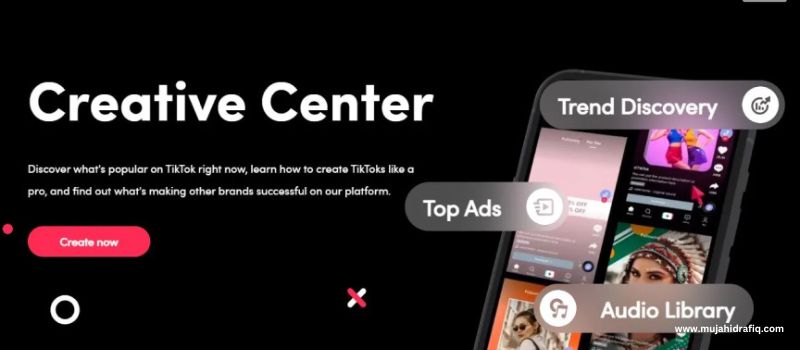
The Creative Center templates and assets are what really make high-quality TikTok ads so easy to produce. Let’s explore how to use them effectively.
Browsing Template Categories
The template gallery is organized by campaign objective and format – like “Product Promo” or “Hashtag Challenge”. Browse all the categories to find a template style that fits your brand.
Consider your goals and target audience. For e-commerce, choose a template for promoting products, services or deals. The options are plentiful!
Customizing With Brand Assets
Once you select a template, it’s time to customize it! Add in your brand logos, product images, graphics and text using the template’s placeholders.
Use your brand colors, fonts and aesthetic to ensure your TikTok ads are cohesive. Maintain consistency across campaigns while also fitting the TikTok style.
Creating Multiple Ad Variations
I recommend producing a few different ad variations for A/B testing. Try different products, deals, captions or video styles.
You can also tailor your ads for different audiences like geography, gender or age. Experiment to see what resonates best!

Creating E-Commerce Video Ads
Now let’s get into the specifics of using the Creative Center to produce effective e-commerce video ads for TikTok.
Promoting Products With Demo Videos
Creative demo videos are a great way to showcase your products on TikTok with visual storytelling.
Film someone using or modeling your product. Add graphics, captions and effects that highlight features and benefits. Include a clickable store link!
Sharing Discount Codes or Deals
TikTok is perfect for promoting limited-time offers and deals. Make video ads featuring your promo codes or seasonal sales.
Encourage users to click your link and take advantage of the deal before time runs out! FOMO marketing works very well on TikTok.
Driving Traffic to Product Pages
You can also create video ads focused solely on driving traffic to your online product pages.
Showcase the product with engaging visuals and captions, and add a clear CTA like “Shop now!” linking directly to the website purchase page.
Analyzing Performance and Optimizing
Once your TikTok ads are live, be sure to regularly review their performance in Ads Manager. Pay attention to metrics like CTR, conversions, cost per purchase to identify your best ads.
Look for opportunities to improve and optimize.
Try adjusting your creative, audiences or placement. Continual testing and tweaking will boost your TikTok advertising results over time.
FAQs About Using the TikTok Creative Center
How do I access the TikTok Creative Center?
You can find the Creative Center in Ads Manager after setting up your TikTok ads account. Just look for the “Creative Center” tab.
What types of assets can I use in the Creative Center?
You can use your own videos, images, logos, graphics, text, and more. TikTok also provides templates, stickers, captions and effects.
Can I create multiple ad variations?
Yes, you can make different versions of your ads to test what performs best. The templates make this easy.
How do I add my e-commerce links?
When customizing a template, insert your website or product page URLs into the clickable call-to-action buttons.
Do I need video editing experience?
No, the Creative Center is designed to be simple to use, even for beginners. The tools guides you through creating polished ads.
Does the Creative Center work for any business?
The Creative Center can be used by any brand, but is especially helpful for e-commerce businesses promoting products.
Key Takeaways and Next Steps
Let’s recap the key benefits of using the TikTok Creative Center as a e-commerce brand:
- Quickly create high-quality, tailored video ads with the template library
- Add your brand assets seamlessly into ad templates
- Produce multiple variations to test what resonates best
- Make engaging video ads that showcase products and drive sales
I hope this post has shown you how powerful the Creative Center can be for your TikTok marketing strategy! My advice is to get started testing ad creative ASAP to start driving more e-commerce conversions.
Let me know if you have any other questions! I’m always happy to chat more about optimizing your TikTok ads and strategy as a TikTok expert and e-commerce marketing pro. Feel free to reach out. Now get out there, get creative, and boost those TikTok sales!
Boost Your TikTok Sales with Creative Video Ads!
Read More: